
How Jaipur Exporters Can Use AI Automation to Handle More Orders

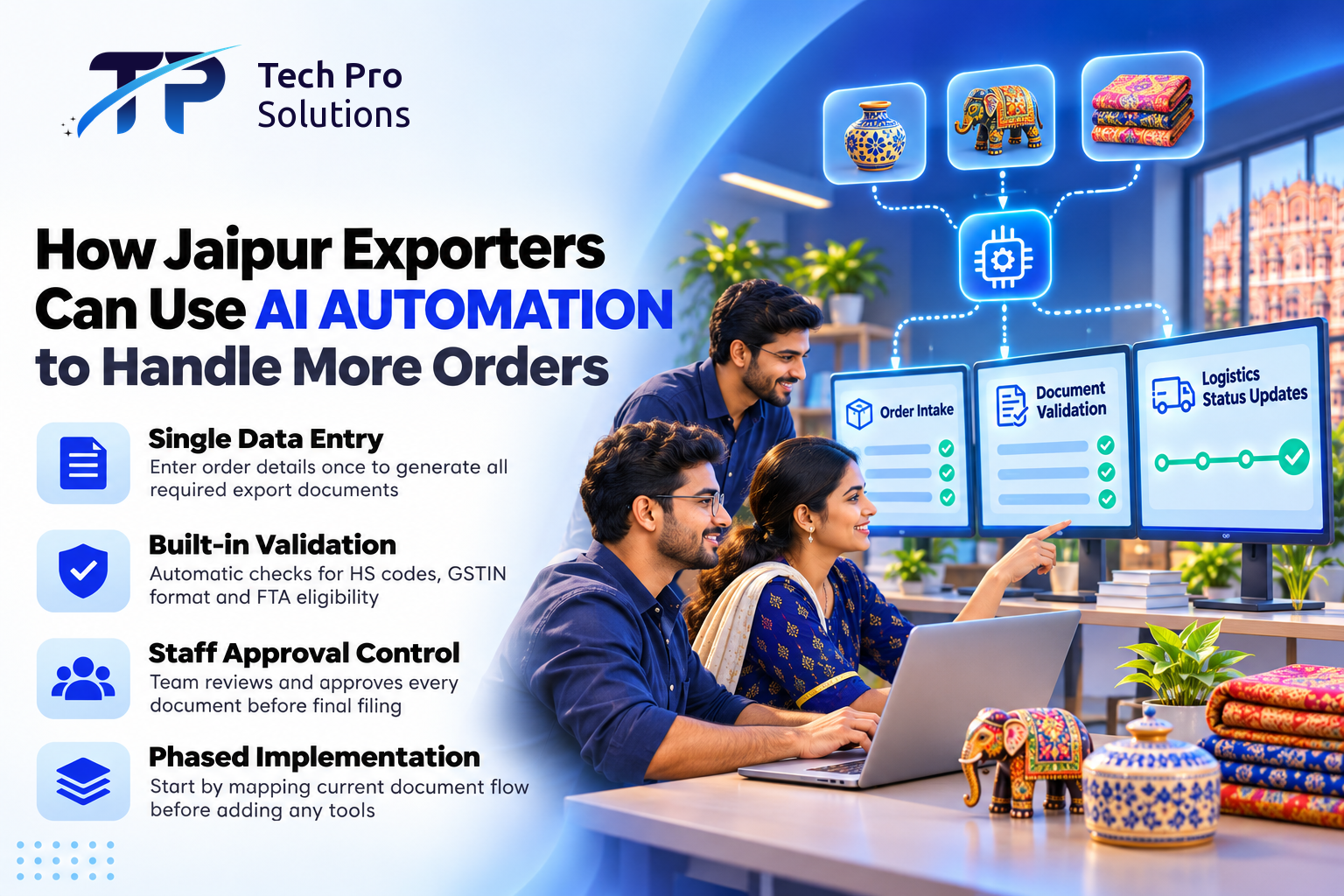
For Jaipur exporters, AI automation and custom software can take over the repetitive document work that slows an export business down, so the same team can handle more orders before it needs to hire. What changes is how much of the day goes on typing the same data into different forms. This guide shows how the workflow runs, what to prepare, what it costs to set up and run, and how long setup takes; rules and prices cited were checked in November 2026, and the cost figures are assumptions for illustration.
Key Takeaways
- Automate the document set you type most often first, usually commercial invoices and packing lists, and keep a named person approving every document before filing.
- Treat product data clean-up as the first piece of work, with a named owner, not as something to fix after go-live.
- Budget for a one-off build and a monthly running cost, and work out before the pilot how many staff hours a month the workflow must save to cover that running cost.
- Prefer standard file formats and documented connections so you can change tools later.
Why Manual Export Workflows Break Under FTA Volume
Rajasthan's Economic Review 2023-24 lists gems and jewellery as Jaipur district's primary product under One District One Product (ODOP), with garments, furniture, toys and engineering products as secondary ones. Many Jaipur exporters in these trades still run orders through spreadsheets, email threads and separate portals for customs, couriers and banking.
Each new free trade agreement (FTA) market adds certificates of origin, checks on HS codes (the product classification codes used by customs) and buyer-specific compliance checks. When order volume doubles, the same staff must re-key data across several systems. An error in a certificate of origin or a missing HS code can hold a container at the port, add demurrage charges for the extra days and hurt buyer trust.
The problem is repetition. A single purchase order triggers an invoice, a packing list, a certificate of origin application, shipping instructions, a bank document set and goods and services tax (GST) return updates, and one typo in a buyer's details gets copied into every one of them.
How AI Automation Works in a Jaipur Export Firm
Business Automation adds a layer between where orders come from (email, a marketplace, or the enterprise resource planning (ERP) software that holds your accounts and records) and where documents need to go (the customs portal, the courier's system, the bank portal and your accounting software). Courier and bank systems are usually reached through an application programming interface (API), a link that lets two programs share data. A typical workflow runs in six stages:
- Order capture: Which order channels the workflow can read depends on your own systems; common ones are email attachments, WhatsApp Business messages and API feeds. From each order it picks out buyer details, product codes, quantities and Incoterms (the agreed delivery terms). A repeat of an order already on file is flagged as a possible duplicate. AI extraction can still misread a quantity, an Incoterm or a buyer name, so any field read below a set confidence threshold, or one that does not match the buyer master, goes to the exception queue for a person instead of into a draft.
- Validation: Rules check HS codes against the tariff list you keep up to date, check the format of a domestic buyer's GST identification number (GSTIN) and flag whether a product is marked as eligible for the FTA preference being claimed. An order with a missing field, such as a buyer purchase order (PO) number, is held and sent back to the person who entered it.
- Document drafting: From the checked data, the workflow drafts commercial invoices, packing lists, certificate of origin applications, shipping bill data and bank document sets, using a template for each destination's format.
- Exception review: Mismatches such as an invalid HS code, a missing buyer declaration or an expired licence go to a person at once, with the field, the rule that failed and a suggested fix. Any request to change bank or remittance details, the consignee or letter-of-credit terms is never actioned by the workflow: it is flagged immediately to the named finance head, who verifies it by phone on a number already on file.
- Approval: A named person approves each document before it is filed, because a rule set can be out of date or incomplete. Whether goods actually qualify under the rules of origin stays with your staff and customs broker.
- Handoff and tracking: Where the forwarder's, courier's and broker's systems allow it, the workflow sends shipping instructions, requests the courier slot and passes on the document package. A shipment shows as booked only when the courier's or forwarder's system returns a booking number, and buyers are told it has shipped only once the shipping bill or bill of lading number exists. The dashboard shows each shipment's status and pending actions, and reminders cover licence renewals, advance authorisation utilisation and GST return deadlines. If a portal connection fails, the workflow is set to hold the item, try again and tell the team.
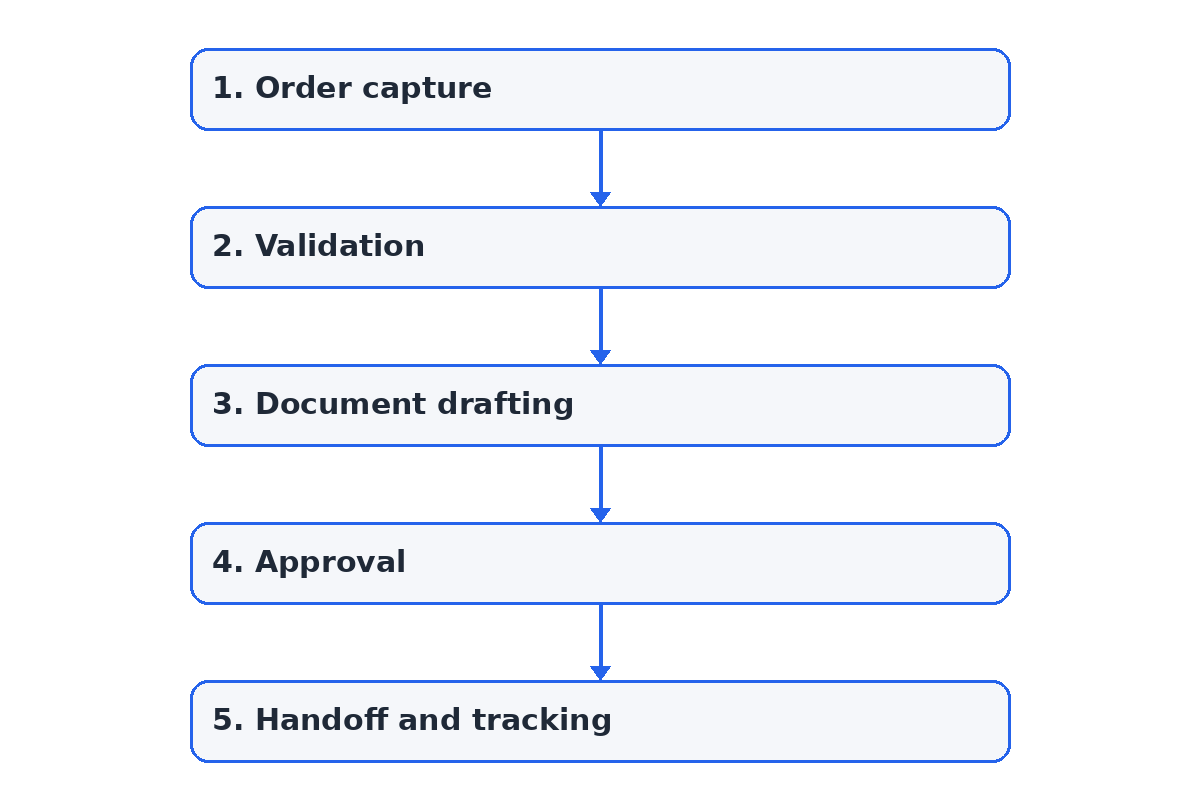 Figure: the 5 main steps, from order capture to handoff and tracking. Exceptions are handled as described in the list.
When the workflow itself is down, staff draft documents from the same templates by hand and enter those orders once the system is back, so the records and audit trail stay complete. For tracking after handoff, when a shipment moves across road, rail and warehouse systems, see faster shipment updates with AI agents for Jaipur logistics.
| The automation handles | Needs staff, a customs broker or a CA |
|---|---|
| Reading orders and drafting invoices, packing lists and bank sets | HS classification disputes and rules-of-origin qualification |
| Format checks on HS codes, GSTINs and required fields | Letter-of-credit discrepancies and any bank-detail change |
| Requesting courier slots and recording the booking number returned | Approving, signing and filing each document |
| Deadline reminders and the shipment dashboard | Buyer negotiations, freight rates and payment terms |
Orders arrive in different shapes, and the channel decides how much can be automated:
| Channel | Automation level | Cost basis | Limits and privacy |
|---|---|---|---|
| Email with PDF or Excel | High once each buyer's format is mapped | AI usage per document read | Formats vary by buyer; stays in your mail system |
| WhatsApp messages | Lower; more fields go to review | AI usage plus Meta's per-message charges on replies | Free text and photos; also held by Meta and any partner |
| Marketplace or ERP feed | Highest, as data is structured | One-off connection work | Only as complete as the platform's fields and terms |
Exporters who also sell to consumers online can read about fewer delivery queries with e-commerce automation.
Three kinds of export business would use the workflow differently (each hypothetical). A jewellery exporter shipping to the UAE under the India-UAE Comprehensive Economic Partnership Agreement (CEPA) can have the application pre-filled with the product-specific rule of origin the team has mapped for that item. Since 1 May 2022, preferential certificates of origin for the UAE have been issued online by the Directorate General of Foreign Trade (DGFT) (DGFT Trade Notice 05/2022-23); since 21 December 2024, new applications are filed on its eCoO 2.0 platform at trade.gov.in and signed with a digital signature token or Aadhaar-based e-signing (DGFT Trade Notice 23/2024-25). Staff still check each pre-filled draft before submitting it. A furniture or handicraft exporter would get packing lists built from carton sizes and a reminder to attach whatever treatment certificate the buyer's country asks for. A garment exporter's case follows below.
When an AI model reads orders and attachments, send it only the fields each step needs, mask buyer names and numbers where possible and check the model provider's retention terms. On Meta's Cloud API, Meta hosts and processes messages as a data processor, encrypts them at rest and keeps them for up to 30 days, and a solution partner can also access the business's WhatsApp account data, so check that contract.
Before an order is taken from a WhatsApp chat, the first reply carries a short notice: what order details are collected, why, who sees them and a link to the privacy notice. A buyer contact can reply STOP or ask staff to withdraw, and the business then stops messages and deletes or stops processing their details. Invoices, GST and export records stay for the periods GST and customs law set; chat logs, AI inputs and files received through upload links are deleted after 90 days unless they become part of an order record (a period the business sets, not a legal one).
See how Business Automation connects order intake to export documents before you decide which document set to pilot.
What Changes for the Business and the Team
With automation, documentation work need not grow at the same rate as orders: the workflow drafts the extra documents and staff time goes on checking them rather than typing.
A hypothetical scenario (for illustration, not a client case): a Jaipur garment exporter receives a 600-piece purchase order from a Dubai buyer by email. The workflow reads the order, finds one stock keeping unit (SKU) with no HS code and holds it for the merchandiser, who fixes the product master. The invoice, packing list and CEPA certificate of origin application are then drafted from the same data; after checks and approval, the documentation executive submits the certificate application on the eCoO 2.0 platform. Nobody retypes the buyer's details.
The documentation executive's job shifts from copying data to reviewing exceptions, chasing missing declarations and arranging shipping slots. Adding a new FTA market means adding its document templates and rules-of-origin data, not retraining everyone.
Preparing Data and Processes Before Implementation
Automation repeats whatever your current process does, good or bad. If product masters have duplicate SKUs, inconsistent HS codes or missing FTA eligibility flags, the workflow will produce wrong documents at scale. Five preparation steps come first:
- Map the current document flow: List every document, its source system, its destination and the fields it needs.
- Audit product master data: Consolidate SKUs, assign one HS code per variant and tag each SKU with the FTAs and rules of origin that apply.
- Define exception rules: Decide what blocks a document and what only warns: a missing buyer PO number blocks the invoice; a missing marketing description does not.
- Identify integration points: Confirm which courier, broker and bank portals offer APIs or structured uploads; where they do not, the system prepares the file and a person uploads it.
- Set up approvals: Decide who approves certificates of origin, shipping instructions and bank documents, and build those roles into the workflow.
What It Costs and How Long Setup Takes
For one workflow, such as order intake to commercial invoice and packing list with two or three systems connected, plan on a one-off setup and integration cost of about ₹1,00,000 and about ₹6,000 a month for hosting and monitoring (assumed for this example, not a quote; scope, integrations and volumes change it).
A worked example (assumed figures, not a result):
- Uptake (assumed): an exporter ships 120 orders a month, and 80% of them (96) arrive in a format the workflow reads reliably; the rest stay manual.
- Running cost (assumed): AI model usage for 120 orders × 4 documents (the order email and its attachments) = 480 documents × an assumed ₹4 per document = ₹1,920; plus ₹6,000 for hosting and monitoring and an assumed ₹1,000 for rule-table upkeep = ₹8,920 a month.
- Staff time (assumed): staff spend 45 minutes typing each order's document set and 15 minutes checking a drafted one, so 30 minutes × 96 orders = 48 staff hours a month are freed.
- Monthly value (assumed): the productivity value of those hours is 48 × ₹250 an hour = ₹12,000 a month.
- Value-based payback (illustrative): ₹12,000 − ₹8,920 = ₹3,080 a month, so the ₹1,00,000 setup would be recovered in about 32 months (1,00,000 ÷ 3,080 = 32.47).
That payback is long at this volume, and it shortens as orders grow, because hosting is fixed: at an assumed 240 orders a month, the same assumptions give ₹24,000 of value against ₹10,840 of running cost, a payback of about 8 months (1,00,000 ÷ 13,160 = 7.6). The value becomes a cash saving only if staff hours, overtime or hiring actually fall. Not counted here: fewer containers held over document errors and quicker payment from cleaner bank document sets. This is an illustration, not a result; use your own order volumes and timings.
The cost moves with four drivers:
- Setup and integration: the number of document types and destination formats, and how many systems (ERP, accounting, courier, bank, broker) need connecting; documented APIs cost less to connect than portals that need file uploads.
- Data clean-up: time spent consolidating SKUs and HS codes before anything is built.
- Running cost: hosting and monitoring, or a platform subscription, plus AI model usage that grows with orders and attachments; model it against your forecast, including peak months.
- Maintenance: updating rule tables when tariffs, FTA rules or document formats change, and fixing connections when a partner portal changes.
Under Rajasthan's MSME Policy 2024, in force until 31 March 2029, micro, small and medium enterprises (MSMEs) that have adopted e-commerce since the policy was notified can get a one-time reimbursement of up to 75% of the cost of software or equipment that digitises business processes, such as inventory management software, up to ₹50,000 per MSME. Check eligibility under the policy before counting on it.
As a planning estimate, a basic deployment, reading email orders and drafting invoices and packing lists as files with no connection to other systems, typically takes 3-4 weeks before the pilot: scoping about a week, product data clean-up 1-2 weeks and testing on past orders, with buyers' personal details removed, about a week. Deeper integration with your ERP, bank and forwarder systems, plus certificate of origin pre-fill, adds 3-6 weeks, which depends on your systems. A pilot on one high-volume document set follows, then rollout to further documents and markets.
Risks and Trade-offs to Weigh
Over-automation: automating a poorly defined process locks in inefficiency. Start with the highest-volume document set and add error-prone ones such as certificates of origin once the team trusts the output.
Lock-in: a workflow built entirely inside one closed platform is hard to move later; documented connections and standard file formats keep changes easier.
Exception fatigue: if validation rules are too strict, staff spend the day clearing false alarms. Tune the rules using the first month's exception log.
Conclusion
AI automation lets a Jaipur export team take on more orders because each order is typed once and every document is drafted from it. Start by running last quarter's commercial invoices through the workflow, and measure against a baseline from that quarter: turnaround from order to filed document, the share of orders processed without correction, the exception rate, port holds or customs queries, and staff hours spent on documentation. Move live orders across only when those figures beat the baseline.
Frequently Asked Questions
Will it work with the accounting or ERP software we already use?
Usually yes, but how it connects depends on your software version and setup. Where the software can export and import files, the workflow reads orders from it and posts invoices back; where it offers a documented connection, fewer steps are manual. Scoping lists each system and the method for it before any build.
What training do documentation staff need before go-live?
Staff need to learn three tasks: working through the exception dashboard, approving drafted documents and updating rule tables when HS codes or FTA rules change. Running the pilot on past orders doubles as practice before live orders go through.
Can the automation handle partial shipments and amended orders?
Yes, when the workflow is designed for them. An amendment is recorded against the original order, so only the affected documents, such as the packing list, shipping bill data and certificate of origin application, are redrafted and the audit trail is kept.
What happens to our templates and order records if we stop?
They stay yours. Agree in the contract that document templates, rule tables and order history are handed over in standard file formats, and that copies held by the automation are deleted afterwards. Staff can then go back to drafting from the same templates by hand.
How Tech Pro Solutions Can Help Jaipur Exporters
Tech Pro Solutions builds Business Automation workflows that connect order intake, export documentation, logistics handoff and compliance tracking with your existing ERP and logistics systems. The team maps your document flow, builds the destination templates and validation rules, connects the systems, sets the approval roles and the bank-change verification rule, and supports the workflow after go-live. For buyer messages and sorting incoming documents, it also builds AI Agents.
We start with a demonstration: a sample run on 20 of your past orders, with buyers' details removed, so your team can compare the drafts with what it filed. The first thing we would set up is email order intake to commercial invoice and packing list for your busiest market.
Book an export document workflow assessment with Tech Pro Solutions, and we will map your order-to-document flow and estimate the setup and running cost for your first document set.

About the author
Aniket Kumar · AIML EngineerAniket Kumar works on AI/ML at Tech Pro Solutions, with skills in Python, PyTorch, SQL, LangChain and LangGraph. His LinkedIn profile lists a B.Tech in Computer Science at the University of Engineering & Management (2021–2025).
Comments (0)