
How to Prepare Your Business Data for AI Implementation

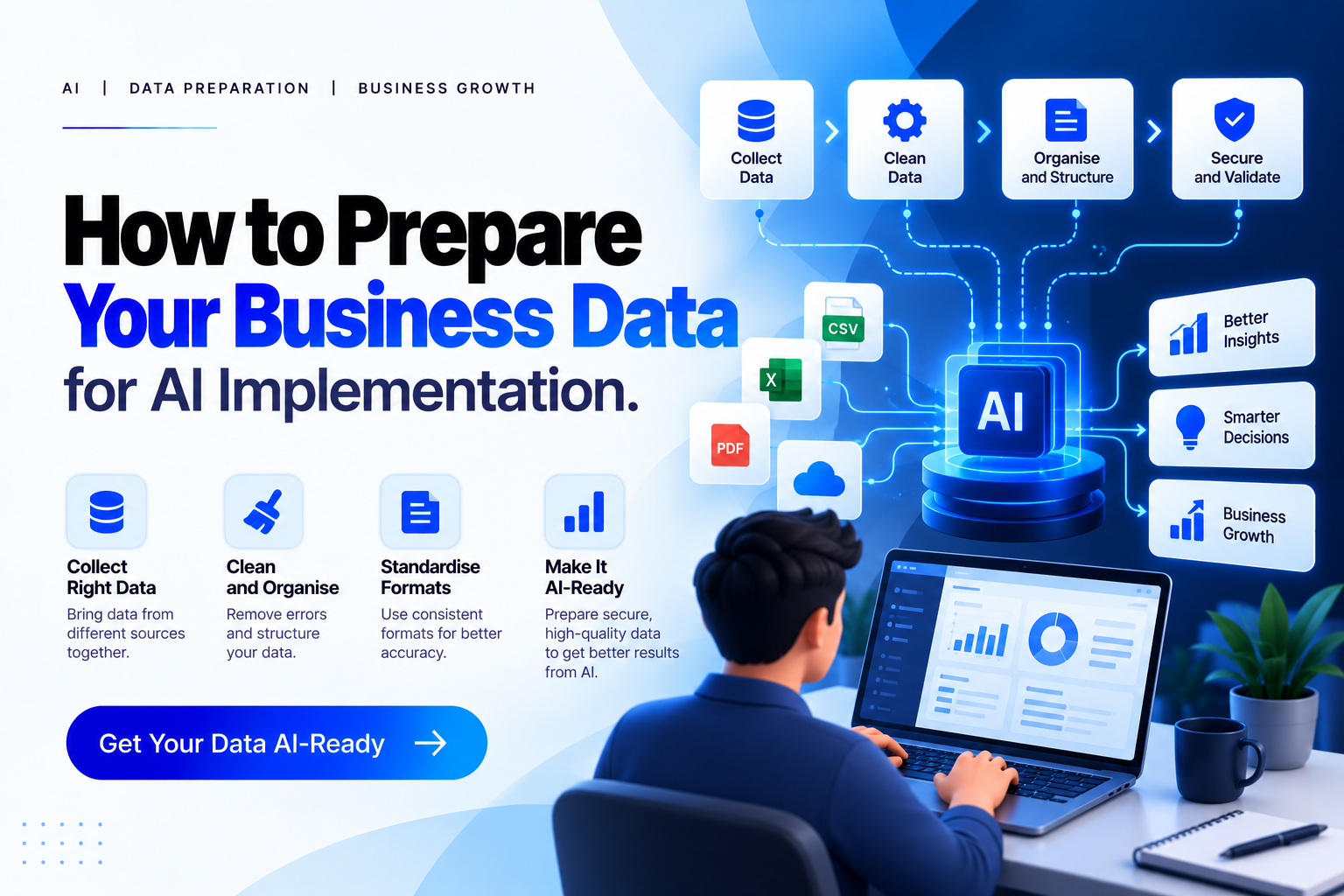
How to Prepare Your Business Data for AI Implementation
Artificial intelligence is helping businesses automate repetitive tasks, understand customers, improve decision-making, and work more efficiently. But before a company can take full advantage of AI, there is one important thing to get right: its data.
Many businesses collect large amounts of information every day, including customer details, sales records, website analytics, support conversations, invoices, and inventory reports. However, having plenty of data does not automatically mean that it is ready for AI.
The information may be incomplete, duplicated, outdated, or scattered across different systems. When AI tools rely on unreliable or poorly organized information, their results may be inaccurate or misleading.
That is why preparing your business data for AI implementation should be an important part of your digital transformation strategy. By improving data quality, organizing information, connecting systems, and establishing proper security controls, businesses can build a reliable foundation for AI.
In this guide, we will explain what AI-ready data means, how to prepare your data step by step, and what your business should check before introducing AI solutions.
What Is AI-Ready Data?
AI-ready data is information that has been collected, organized, checked, and governed so it can support a specific artificial intelligence use case.
For example, a retail company planning to use AI for sales forecasting needs accurate sales records, product information, and historical demand patterns. A business introducing an AI customer support assistant needs reliable product documentation, approved FAQs, and relevant customer service information.
Both companies need data, but the requirements are different.
In simple terms, AI-ready data is data that an AI system can use appropriately for the task it is expected to perform.
Preparing data for AI may involve removing duplicates, correcting errors, standardizing formats, adding useful context, integrating different sources, and checking whether the information can be used lawfully and securely.
It is also important to remember that AI data readiness is not a one-time task. As business information changes and AI applications evolve, your data preparation and governance processes must evolve as well.
Why Is Data Preparation Important for AI Implementation?
Think of an AI system as an employee who relies on information provided by the company. If that information is incomplete or incorrect, even a capable employee may make the wrong decision.
The same principle applies to AI.
Poor data quality can affect predictions, automated recommendations, customer responses, and business reports. It can also create extra work when employees need to review and correct AI-generated results.
Here are some reasons why data preparation for AI matters.
More reliable results: Accurate and relevant data helps AI systems produce more useful outputs for their intended purpose.
Better business decisions: Organized information makes it easier to identify patterns, understand performance, and evaluate opportunities.
Improved automation: AI tools can perform tasks more consistently when they can access reliable information through well-managed systems.
Stronger data security: Clear access permissions and governance policies help protect sensitive business information.
Better use of resources: Preparing existing data may help businesses avoid unnecessary duplication, expensive rework, and avoidable implementation problems.
AI readiness is not just a technical requirement. It is part of building an effective business process around the technology.
7 Steps to Prepare Your Business Data for AI
1. Define Your AI Goals Before Collecting Data
The first step is deciding what you actually want AI to accomplish.
Are you planning to automate customer support, predict sales, analyze customer behavior, improve internal reporting, or create an AI assistant that answers employee questions?
Each objective requires different information.
For example, an AI customer support assistant may need approved product manuals, support tickets, troubleshooting guides, and frequently asked questions. A sales forecasting system may depend on historical transactions, seasonal trends, product categories, and promotional activity.
Start by identifying the business problem, the expected outcome, and the data required to support it.
This approach makes your AI data readiness assessment more focused. Instead of preparing every file your business owns, you can prioritize information that directly supports your first AI project.
2. Audit Your Existing Business Data
Before making major changes, understand what information your business already has and where it is stored.
Business data is often spread across customer relationship management software, accounting systems, spreadsheets, websites, cloud storage, databases, and communication platforms.
Create an inventory of these sources and identify the information each one contains.
During the audit, consider:
Where is the data stored?
Who owns it and who can access it?
When was it last updated?
Is it complete and accurate?
Are there multiple versions of the same information?
Can it be legally and securely used for your intended AI application?
This process helps reveal gaps, duplicated information, disconnected systems, and access problems.
An organized data inventory also provides a clearer starting point for selecting the right AI tools and planning your implementation budget.
3. Improve Data Quality Through Cleaning and Validation
Data cleaning for AI is one of the most important stages of preparation.
Even established businesses may have customer records with missing email addresses, inconsistent phone number formats, duplicate entries, or outdated details. Product information may also use different names or measurement units across departments.
These issues make information harder to compare and can interfere with automated processes.
Start by identifying common data quality problems. Remove unnecessary duplicates, correct known errors, standardize formats, and establish rules for handling missing values.
For example, one spreadsheet might record a date as 26/10/2026, while another uses 2026-10-26. Standardizing the format helps connected systems interpret the information consistently.
However, cleaning data does not mean deleting every unusual value. An unexpected transaction or seasonal sales spike may be important. Before removing outliers, confirm whether they represent errors or genuine business activity.
Good data quality practices should measure accuracy, completeness, consistency, timeliness, and relevance to the intended AI use case.
4. Organize Structured and Unstructured Data
Business information comes in many forms.
Structured data includes spreadsheets, database tables, transaction records, and customer information organized into defined fields.
Unstructured data includes emails, PDFs, contracts, product manuals, support conversations, images, audio recordings, and other documents that do not follow a simple table format.
Both types can be valuable for AI implementation.
For example, a company introducing a generative AI assistant may want the system to answer questions using existing documents. Before using those documents, the business should remove outdated versions, identify authoritative sources, organize files, and make sure the content is readable and accessible.
Depending on the application, additional preparation may involve extracting text, adding metadata, separating documents into meaningful sections, or creating searchable indexes.
For AI systems that retrieve information from company documents, techniques such as retrieval-augmented generation (RAG) can help connect a language model with relevant internal knowledge.
The important point is to prepare information in a format suitable for the technology rather than assuming every AI tool can automatically interpret every file correctly.
5. Integrate Data From Different Business Systems
Many businesses use separate tools for sales, marketing, accounting, inventory, customer service, and operations. When these systems do not communicate effectively, information remains fragmented.
Data integration for AI helps connect relevant sources so an AI application can access the information it needs in a consistent way.
For example, a business might combine website inquiries, CRM records, and sales information to better understand which marketing channels generate customers.
Integration may require APIs, database connections, scheduled data transfers, or carefully managed data pipelines.
During this stage, establish consistent field names, unique identifiers, validation rules, and procedures for handling conflicting records. Document how information moves between systems and who is responsible for maintaining those connections.
Not every AI project needs a complex data platform. A small business may start with a well-maintained database and a limited number of integrations. Larger projects may require more advanced infrastructure to handle greater volumes and stricter performance requirements.
The best approach depends on your goals, existing technology, data sensitivity, and expected growth.
6. Establish Data Governance, Privacy, and Security
Preparing business data for AI also means deciding how that information can be accessed and used.
Data governance defines responsibilities, policies, standards, and procedures for managing information throughout its lifecycle. It helps businesses maintain consistent practices and understand where their data comes from.
Start by assigning ownership of important datasets and documenting where the information originated. Establish clear rules for who can view, change, share, or delete different types of data.
Sensitive information deserves particular attention. Customer details, financial records, employee information, and confidential business documents should not be shared with AI tools without appropriate approval and safeguards.
Before connecting an external AI platform, review its data-handling terms, retention policies, security controls, and any contractual or regulatory requirements that apply to your business.
Use access controls, encryption where appropriate, secure integrations, and data minimization. Where suitable and lawful, remove or mask personal information that is not needed for the task.
Businesses should also consider potential bias, copyright and licensing restrictions, and whether their data represents the people or situations the AI system is expected to handle.
The UK's guidelines for making datasets ready for AI emphasize technical optimization, data and metadata quality, governance, and legal, security, and ethical compliance. These principles are useful starting points for businesses developing their own data preparation practices.
7. Test Data Readiness and Monitor It Continuously
Once your data has been cleaned, organized, and connected, test whether it is suitable for the intended AI application.
Do not assume that completing the preparation steps automatically guarantees good results.
For example, a customer support assistant should be tested with common questions, unusual requests, outdated product information, and questions for which the available documentation does not provide an answer.
A forecasting tool should be evaluated against historical periods and appropriate test data to understand how accurately it predicts outcomes.
Define clear success measures, such as answer accuracy, forecast errors, processing time, data completeness, and the frequency of incorrect outputs. The right measures depend on the project.
Also consider how your information will be maintained after launch. New products, changing customer needs, revised policies, and updated business processes can make previously reliable data outdated.
Regular quality checks, documented change procedures, feedback from employees, and ongoing AI performance monitoring help keep the system useful over time.
AI Data Readiness Checklist for Businesses
Before implementing AI, review the following checklist:
Our business has a clear AI use case and measurable goals.
We know where our important data is stored.
Data owners and access permissions have been identified.
Duplicate, missing, inconsistent, and outdated records have been reviewed.
Structured and unstructured information is organized for the intended application.
Relevant business systems can exchange information reliably.
Data sources, definitions, and transformations are documented.
Privacy, security, licensing, and compliance requirements have been reviewed.
Testing measures are in place to evaluate AI performance.
Processes exist for monitoring data quality and updating information.
If several items remain incomplete, start by addressing the gaps that matter most to your first AI project. You do not need to modernize every system at once.
Common Data Preparation Mistakes to Avoid
One common mistake is assuming that more data always produces better AI results. Large volumes of irrelevant or unreliable information can create unnecessary complexity instead of improving performance.
Another mistake is starting with an AI tool before understanding the business problem. This can result in expensive integrations and features that do not solve a meaningful business need.
Ignoring unstructured data is also a missed opportunity, especially when useful knowledge exists in documents, manuals, or support conversations.
Finally, treating data preparation as a one-time cleaning exercise can cause problems later. Data changes continuously, so businesses need ongoing ownership, quality checks, security controls, and monitoring.
A practical approach is to start small, validate the results, learn from real usage, and expand when the underlying data and processes are ready.
How Can Small Businesses Prepare for AI?
Small businesses do not necessarily need a large data team or an expensive enterprise platform to begin their AI journey.
Start with a specific problem that occurs regularly, such as responding to common customer questions, organizing inquiries, summarizing reports, or identifying sales trends.
Next, identify the information required to support that task. Review your existing spreadsheets, website content, CRM records, and internal documents. Correct the most important data quality issues and ensure that the information can be used securely.
Choose an AI application that fits your existing systems and budget. Test it on a limited scale before introducing it into daily operations, and ask employees to review the results.
This gradual approach gives your business an opportunity to understand the benefits, identify limitations, and improve data management without making unnecessary changes to every system.
Conclusion
Successful AI implementation starts with understanding your data, not simply choosing an AI tool.
When businesses audit their information, improve data quality, organize documents, integrate relevant systems, and establish clear governance practices, they create a stronger foundation for reliable AI applications.
The best results usually come from a practical, use-case-driven approach. Start with a clear business goal, prepare only the data needed for that objective, test the results, and continue improving your processes as your requirements grow.
TechPro Solutions helps businesses explore practical technology solutions, including software development, IT support, data integration, and AI automation. If your business is planning to adopt AI but is unsure where to begin, reviewing your existing data and systems is a sensible first step toward choosing the right solution.
How to Prepare Your Business Data for AI Implementation

Neha - Founder
Comments (0)