
How Jaipur Healthcare Providers Can Automate Patient Onboarding with AI Chatbots

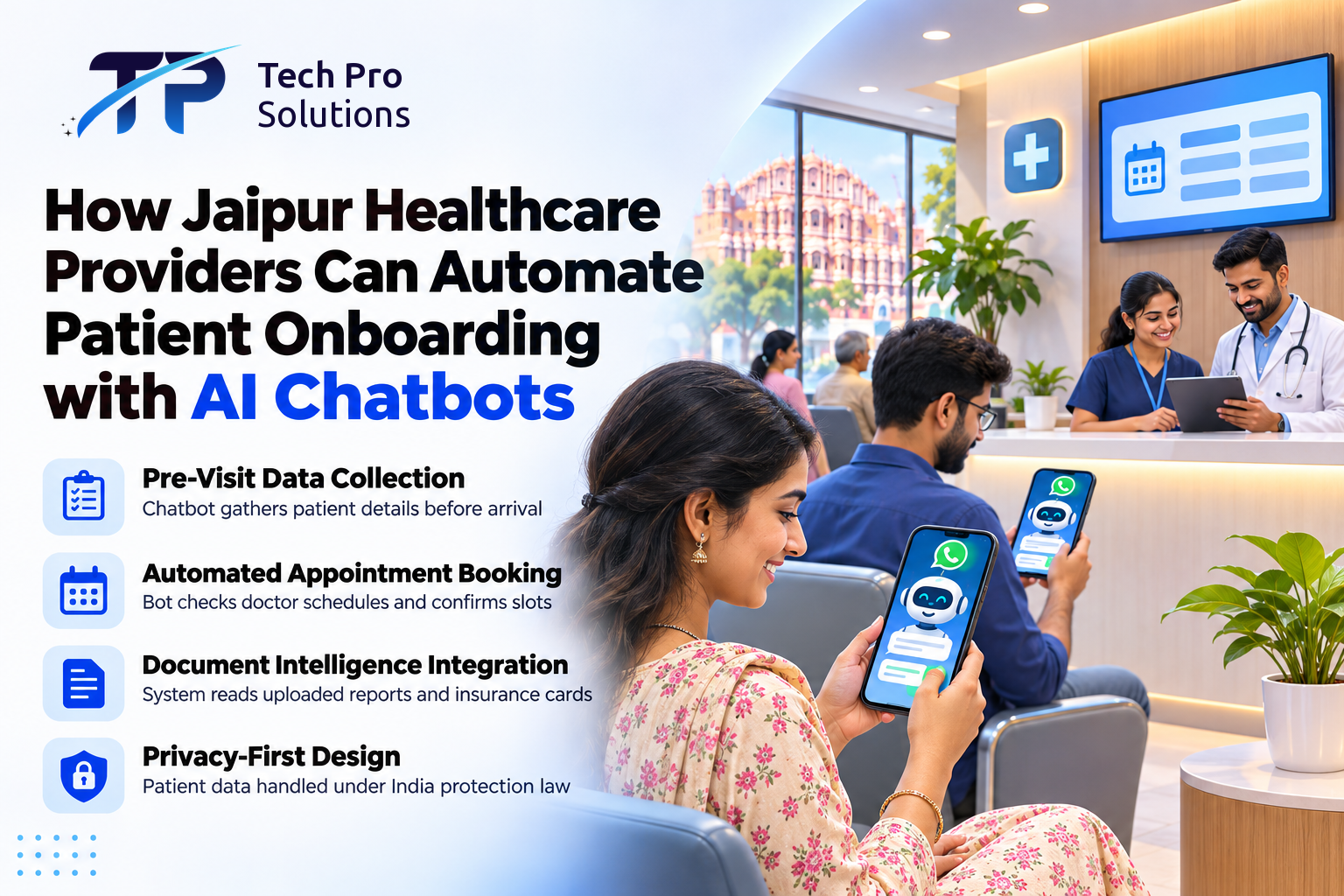
Healthcare providers in Jaipur can automate patient onboarding with AI chatbots that collect intake details over WhatsApp or the clinic's website. A chatbot can take basic details, offer slots and answer routine questions before the patient arrives, easing a crowded front desk. The cost and setup figures are planning estimates, and the prices and rules cited were checked in November 2026.
Key Takeaways
- A chatbot can collect patient details and the reason for the visit before the patient arrives.
- Linked to the appointment system, it can cut booking clashes and repeated typing.
- In the worked example the staff-time payback is long, so weigh shorter queues and after-hours bookings too.
- The chatbot is not a substitute for a doctor and must never delay emergency care.
Where Manual Patient Intake Slows Jaipur Clinics Down
On busy outpatient days, paper registration forms keep the queue long while staff juggle paperwork and a ringing landline. Three hypothetical Jaipur examples show where a chatbot helps:
- Dental clinic: the chatbot would collect the reason for the visit and a preferred time, and pass patients who report pain or swelling to a staff call-back.
- Diagnostic centre: it would send the centre's own preparation instructions for the booked test and collect the prescription through a secure upload link.
- Multispeciality hospital: it would suggest the right department's calendar from the reason the patient gives, with staff checking unsure choices.
How an AI Chatbot Handles Patient Onboarding
Automated onboarding lets patients share their details before they reach the clinic instead of at the counter, and Business Automation can pass the details to the right desk or system.
- Notice and consent first: The patient starts the conversation from the clinic's website or its WhatsApp Business number and chooses a language. Before any details are asked, the first message says the chatbot is not a doctor, that in an emergency the patient must call 108 for an ambulance, what will be collected, why and who uses it, with a link to the privacy notice. The chatbot continues only when the patient agrees; replying STOP, or telling staff, withdraws consent, and the clinic deletes what it has no duty to keep.
- Information gathering: The chatbot asks only for what the first visit needs: name, age, number and reason for the visit. A possible returning patient is marked for staff to confirm, since families share numbers. Incomplete details are deleted after 7 days, a recommended practice rather than a legal rule.
- Slot booking: The chatbot checks live availability and the scheduling system holds the slot in a single step, or offers the next free time; front-desk bookings use the same step.
- Confirmation and arrival: Only after the scheduling system accepts the booking does the patient receive a confirmation and directions.
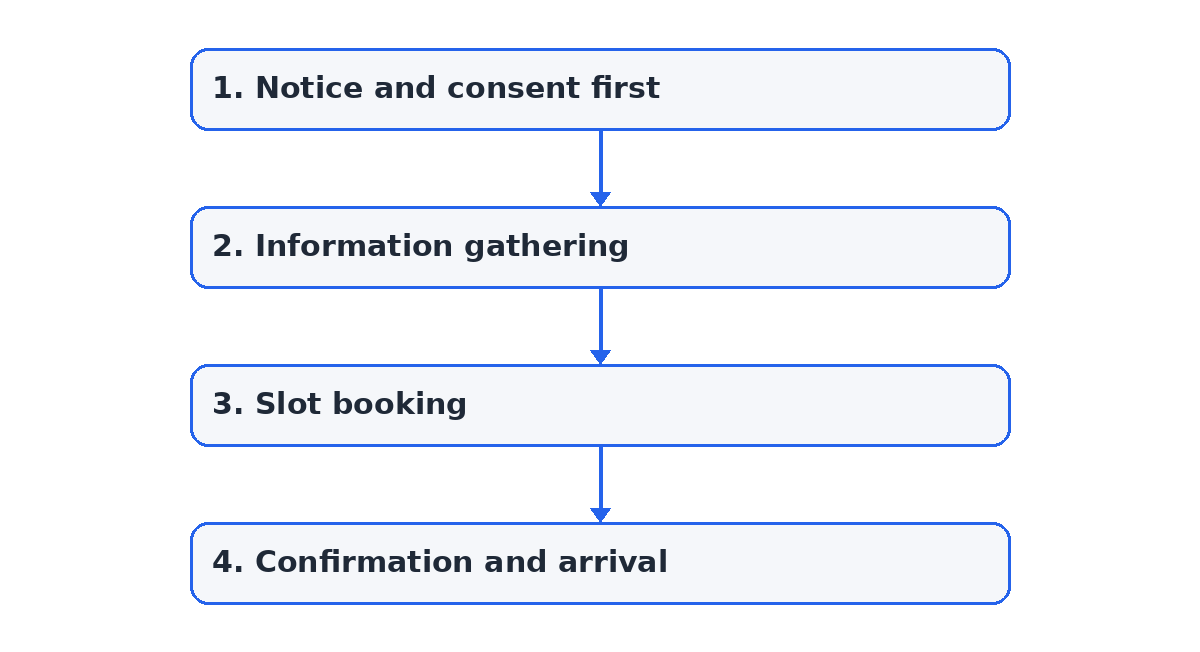 Figure: the 4 main steps, from notice and consent first to confirmation and arrival.
Two exceptions run alongside these steps. Every message is screened for emergencies in Hindi, English, Hinglish or unusual wording ("saans phool rahi hai"); a match shows the 108 ambulance number again and alerts the on-call staff member by phone at once, day or night, and a named backup if the first alert is not acknowledged within a set time. If the scheduling system is down, the chatbot must not confirm: it says the front desk will call, and alerts staff to book by hand.
A short hypothetical registration at a Jaipur dental clinic, in the Hindi and English mix many patients use:
Patient: Namaste, mujhe dentist ka appointment chahiye.
Chatbot: Namaste! Main clinic ka registration assistant hoon, doctor nahin. Emergency mein reply ka wait mat kijiye, 108 par call kijiye. Appointment ke liye naam, umar, number aur aane ka kaaran lenge. Aapki details clinic ki team aur is chat ko chalane wali services use karengi, jaisa privacy notice (link) mein likha hai. Kabhi bhi STOP likh kar band kar sakte hain. Aage badhein? Hindi ya English?
Patient: Haan, Hindi theek hai. Daant mein do din se dard hai.
Chatbot: Samajh gaya; dard ke baare mein staff aapko call karenge. Apna naam, umar aur mobile number bata dijiye.
Patient: Sunita, 45, yahi WhatsApp number.
Chatbot: Dhanyavaad. Kal ke khaali slots: subah 10:30 ya shaam 5:00. Kaunsa chahiye?
Patient: Shaam 5 baje. Consultation fee kitni hai?
Chatbot: Is example mein fee ₹400 hai (hypothetical). Clinic ke system ne 5:00 ka slot confirm kar diya hai, booking summary bhej raha hoon. Kya ek din pehle reminder bhejein?
Patient: Haan, bhej dijiye.
Chatbot: Theek hai. Purani X-ray ho to is secure link par upload kijiye, chat mein mat bhejiye.
An order from the National Health Mission Rajasthan dated 11 November 2025 requires government health institutions to create the patient's Ayushman Bharat Health Account (ABHA) ID during outpatient department (OPD) and inpatient department (IPD) registration in the state's Integrated Health Management System for people receiving free care under the Mukhyamantri Nishulk Nirogi Rajasthan Yojana, and to promote "Scan and Share" registration. Under the Ayushman Bharat Digital Mission (ABDM), Scan and Share lets a patient scan a QR code at the OPD registration counter and share their ABHA profile to register without filling in a paper form.
The order applies to government health institutions, not private clinics. For patients, creating an ABHA number is voluntary, as the Ministry of Health and Family Welfare has stated. A clinic's chatbot can ask whether the patient has an ABHA and, only with the patient's agreement, record or link it where the clinic's software is connected to ABDM; patients without one are still registered.
To answer questions, a chatbot that uses retrieval-augmented generation (RAG), such as an AI Chatbot with RAG, looks up the clinic's approved documents on hours, fees and visiting rules before it replies, so it is less likely to make up a policy. RAG and department routing reduce errors, but answers can still be wrong. When the chatbot is unsure of a department or finds no matching approved passage, it does not answer or book: it passes the chat to the named front-desk person, and staff sample-check routed bookings each week. The article on faster patient answers with AI chatbots in healthcare covers routine questions in more depth.
| The chatbot handles | Needs staff or a doctor |
|---|---|
| Name, age, contact number and reason for the visit | Symptoms, urgency and treatment (a doctor) |
| Open slots, fees and preparation sheets | Merging a returning patient's records, and department doubts (staff) |
| Confirmations and reminders after the system accepts a booking | Payments, refunds and exceptions (staff) |
| Asking whether the patient has an ABHA | Pain call-backs, emergencies and patients who cannot use chat (staff) |
Comparing Intake Channels
Most clinics start with one channel, then add others.
| Channel | Suits | Cost basis | Needs and limits |
|---|---|---|---|
| Front desk or phone | Walk-ins and patients who prefer to talk | Staff time and printed forms | Capacity tied to staff on duty and desk hours |
| Website chat | New patients finding the clinic online | AI usage; no WhatsApp charge | A chat widget; patients may leave before finishing |
| Returning patients, reminders and uploads | AI usage plus Meta's per-message charges | A verified business number and approved templates | |
| QR code at the counter (ABHA Scan and Share) | Patients with an ABHA who arrive without booking | The clinic's software; no messaging charge | Software connected to ABDM; only for patients who choose to share an ABHA |
| Integrated omnichannel | Clinics busy on every channel | The sum of the channels used | One calendar and one staff inbox for hand-overs |
Practical Preparation Steps for Clinic Administrators
Three tasks come before any build.
- Audit intake questionnaires: Keep only what the doctor needs for the first consultation.
- Standardise provider rosters: Agree one set of scheduling rules, so the chatbot and the front desk book from the same calendar and shared rooms are not double-booked.
- Plan a fallback for outages: Keep a paper intake form at the desk, show the clinic's phone number in the chat and on the website, and enter outage bookings once the system is back.
What an AI Chatbot Costs and How Setup Runs
Cost depends mostly on the clinic's software and channels. As an illustrative planning figure for one clinic on one channel, assume a one-off setup of about ₹1,00,000, plus about ₹8,000 a month for upkeep and hosting and usage charges worked out from volume below; all are assumed, not a quote, and change with scope, the software connected and volumes. The main drivers are:
- Setup: writing the intake questions and connecting the chatbot to the clinic's scheduling software.
- Messaging: Meta charges per delivered WhatsApp Business Platform message, by category: ₹0.115 per service message (the chatbot's replies) beyond the first 1,000 a month for each business number, and ₹0.115 per utility message (confirmations and reminders) from the first, even inside an open customer-service window, as listed by Meta for November 2026 (Meta's pricing page); prices change; taxes extra. Patients' own messages are not charged.
- Upkeep: updating documents and re-testing the connection after software updates.
Worked example (illustration, not a result; use your own figures). Assume a clinic registers 800 patients a month and 70% or 90% of them complete registration in the chat. Assume each would save the front desk 5 minutes of typing, a productivity value of ₹250 an hour. Each of the 800 chats takes an assumed 6 replies (4,800), with AI usage at an assumed ₹0.15 per reply; each patient gets a confirmation and a reminder, at Meta's listed ₹0.115 per message.
| Monthly item (₹) | 70% complete (560 patients) | 90% complete (720 patients) |
|---|---|---|
| Staff time value | 560 × 5 = 2,800 minutes; 2,800 ÷ 60 × 250 = 11,667 | 720 × 5 = 3,600 minutes; 3,600 ÷ 60 × 250 = 15,000 |
| AI usage | 4,800 × 0.15 = 720 | 720 |
| WhatsApp service replies (first 1,000 free) | 3,800 × 0.115 = 437 | 437 |
| Confirmations and reminders (utility) | 1,120 × 0.115 = about 129 | 1,440 × 0.115 = about 166 |
| Upkeep and hosting (assumed) | 8,000 | 8,000 |
| Running cost | 8,000 + 720 + 437 + 129 = 9,286 | 8,000 + 720 + 437 + 166 = 9,323 |
| Net value | 11,667 − 9,286 = 2,381 | 15,000 − 9,323 = 5,677 |
| Payback on the assumed 1,00,000 setup | 1,00,000 ÷ 2,381 = about 42 months | 1,00,000 ÷ 5,677 = about 18 months |
The staff-time value is not cash: it becomes a cash saving only if staff hours, overtime or hiring actually fall. The payback is long and sensitive to the assumptions, and shorter queues and after-hours bookings are not counted.
As planning estimates, a basic intake chatbot that collects details for staff to enter, with no system connection, takes about 2 to 3 weeks to a pilot on one channel; booking straight into the clinic's practice management system (PMS) or electronic health record (EHR) software adds about 2 to 4 weeks. Both depend on third parties: the software vendor's access, Meta's business verification and template approval can each add time. See how an AI Chatbot with RAG answers patients from the clinic's own information before you plan the pilot.
Keeping Patient Data Secure
As general good practice, set the intake system up with encryption in transit and at rest, role-based access, audit logs of who viewed or changed a record, and deletion of intake data once its retention period ends. Collect reports and ID documents through a secure upload link into the clinic's own system, not as chat attachments.
The language model is usually run by an outside AI provider, so pass it only the fields each step requires, mask names and numbers where possible, and check the provider's terms on retention and model training.
Retention should follow the medical-record rules that apply to the clinic: doctors must keep the records of indoor (admitted) patients for three years from the start of treatment under regulation 1.3.1 of the Indian Medical Council (Professional Conduct, Etiquette and Ethics) Regulations, 2002, and clinical establishments covered by the Clinical Establishments (Central Government) Rules, 2012 must keep electronic medical records of every patient as the central or state government specifies. Confirm which apply before setting retention. Chat transcripts need their own, shorter period: for example, a clinic might delete them after 90 days once the details have moved into the patient record. That is a clinic policy to state in the notice, not a legal period.
On WhatsApp, with the Cloud application programming interface (API), Meta hosts and processes messages on its servers as a data processor for the clinic, and Meta's documentation says messages at rest are encrypted and kept for up to 30 days. A WhatsApp solution partner, if the clinic uses one, can also access the account's data, so check the contract first.
What India's Privacy Law Requires
Under India's Digital Personal Data Protection (DPDP) Act, 2023, personal data may be processed on consent or on a legitimate use listed in Section 7 of the Act, such as data a person gives voluntarily for a stated purpose, a medical emergency or employment. The DPDP Rules, 2025 were notified on 13 November 2025, and most of the duties they set, such as giving notice, keeping data secure and reporting breaches, apply from 13 May 2027.
Until then, the Information Technology Act, 2000 still applies, including its Section 43A, which the DPDP Act removes only from 13 May 2027 (DPDP Act, Section 44(2), India Code).
The Information Technology (Reasonable Security Practices and Procedures and Sensitive Personal Data or Information) Rules, 2011, made under Section 43A of that Act, list a patient's "physical, physiological and mental health condition" and "medical records and history" as sensitive personal data (G.S.R. 313(E), Rule 3, India Code). Before a clinic's chatbot asks for symptoms or past treatment, Rule 5 expects the clinic to take written consent for the purpose, tell the patient who is collecting and who will keep the data, keep it no longer than required, and let the patient decline or withdraw consent later. The Rules bind a "body corporate" and name only letter, fax or email for written consent, so ask a legal adviser whether they cover your clinic and whether a chat tap counts.
For a child's data, Section 9 of the Act requires verifiable parental consent and bars tracking of children; the DPDP Rules, 2025 exempt clinical establishments only as far as needed to provide health services to the child; the duties and the exemption apply from May 2027.
Next Steps for Patient Intake Automation
Start with one channel and routine outpatient bookings only. For a few weeks before the pilot, record the registration completion rate, time to first reply, average intake time per patient, booking conflicts and staff time spent on intake, then compare the pilot against that baseline, adding the hand-over rate (chats passed to staff), wrong-department bookings and where patients drop off. Widen its use only once those figures look steady.
Frequently Asked Questions
Can a family member register a patient?
Yes, if the clinic allows it. The chatbot asks who is registering and records the patient's own details, and staff confirm them at arrival. For a child, the parent or guardian gives consent.
What does the chatbot do if a patient describes an emergency?
It does not assess symptoms or decide how urgent they are. It shows the 108 ambulance number and alerts the on-call staff member at once, and a named backup if that alert is not acknowledged. Because an emergency can be described in words the chatbot does not recognise, the 108 notice is shown to every patient.
Do patients have to agree before the chatbot collects their details?
For health details such as symptoms, yes: the clinic should take consent before asking. Registering by phone or at the desk stays open to anyone who prefers it, reminders go only to patients who said yes, and sharing an ABHA number stays optional.
What if a patient gives wrong details in the chat?
Staff check the details at arrival, and the patient can correct them by replying or at the desk. The correction is made in the clinic's own software, so the record stays in one place.
What happens to patient data if the clinic stops using the chatbot?
The intake records already moved into the clinic's own software stay there. Agree in the contract that the provider hands back and deletes any copies it holds by a set date, and that the WhatsApp number is disconnected from the chatbot.
Automating Healthcare Intake with Tech Pro Solutions
Tech Pro Solutions builds patient intake chatbots for clinics. With an AI Chatbot with RAG, our team writes the intake questions and hand-over rules with your reception staff, connects the chatbot to your scheduling software where it allows, and tests it in Hindi, English and mixed language. To show it working first, we can do a sample run on your own intake form and most common questions, then set up a pilot on one channel: first the intake questions, the notice and the emergency rule, then the calendar connection. Book an intake workflow assessment with Tech Pro Solutions, and we will map your registration steps and estimate the cost for your clinic.

About the author
Aniket Kumar · AIML EngineerAniket Kumar works on AI/ML at Tech Pro Solutions, with skills in Python, PyTorch, SQL, LangChain and LangGraph. His LinkedIn profile lists a B.Tech in Computer Science at the University of Engineering & Management (2021–2025).
Comments (0)